
Creating DICOM studies from files is available as an option.
You can create studies from images, videos and documents. By converting this data into the DICOM format, you create studies that you can then share with other imaging servers and other healthcare institutions.
Nexus restricts the creation of DICOM studies to the following formats: JPEG, PNG, BMP and PDF. It is possible to add GIF and MPEG formats depending on their use.
Access the feature
Creating studies from files can be done from the Scheduled Studies page or from an uploaded folder (Create button).
From scheduled studies
On the Scheduled studies page, select the appropriate patient and then click on Create a study from files. Creating studies is only possible for patients with studies scheduled for Nexus. They are marked with the “N” icon.
If the patient you are looking for is not listed, schedule a study for the patient before performing this procedure.
From a case
On the Cases page, select the desired case, then click on the Open button. In the DICOM studies section, click on the Create Button.
Create a study
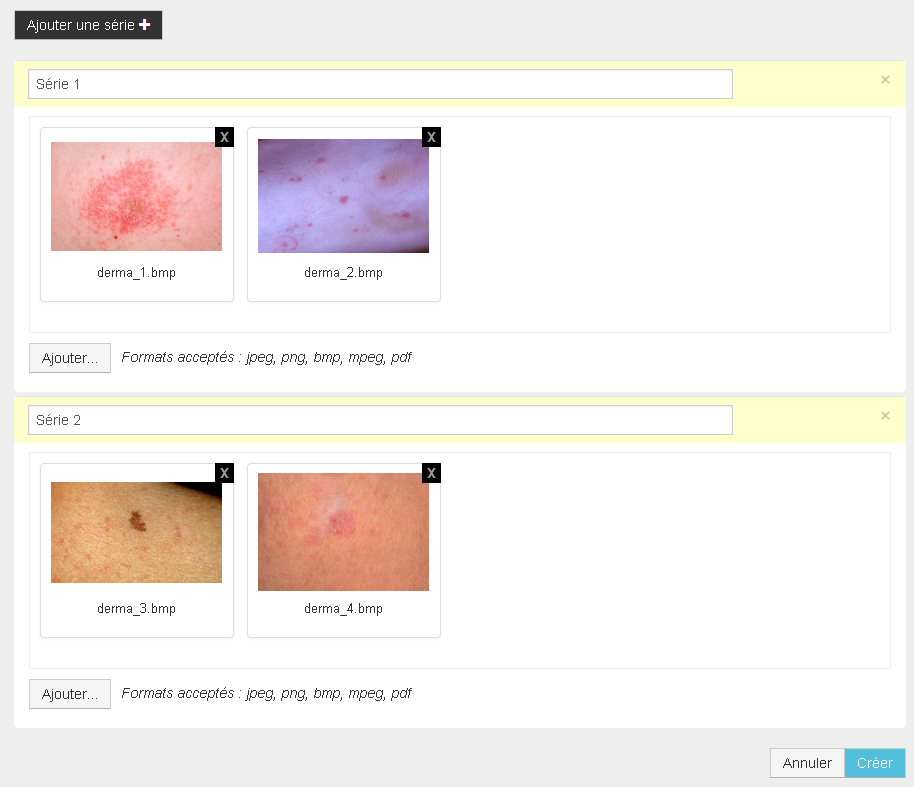
-
Click on the Add button and select the files you want to add.
-
If needed, add series and rearrange files within series and/or among series using drag and drop.
A single series cannot contain both image files and PDF files.
-
Click on the Create button
The study is added to the Studies page and, if it was created from a case, in the case.