Contextual Identity Management
It is now possible to associate multiple contextual identities with a case, allowing for more flexible management that accurately reflects the complexity of inter-hospital exchanges. This feature is only available through the implementation of the Patient Identity interoperability flow or via REST API integration.
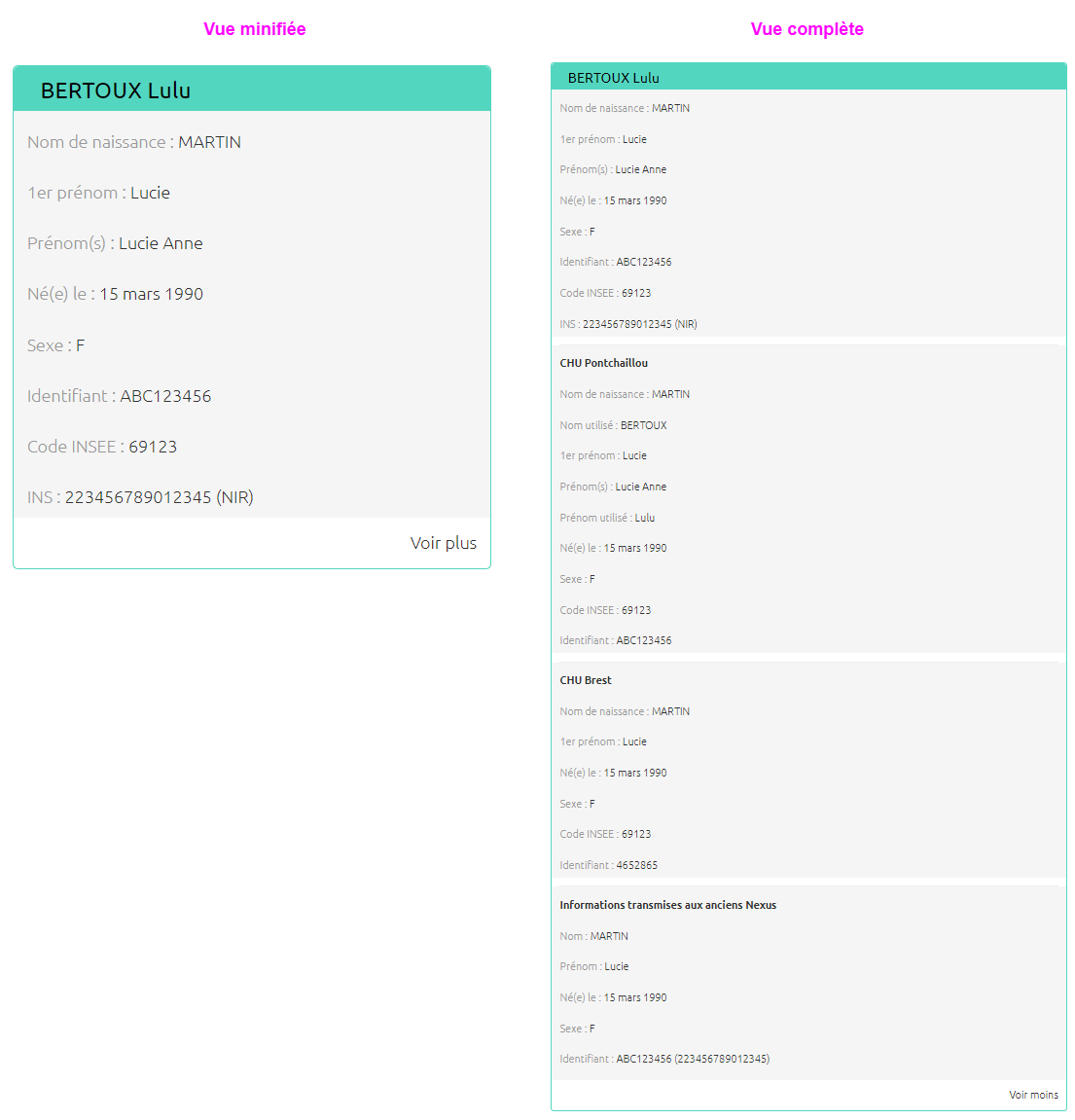
This mechanism accounts for the reality of care pathways, where a single patient may be identified differently depending on the facility. For example, a patient may have a local identity specific to the requesting facility (using a Local Patient Identifier), a national identity, and sometimes a regional identity. When a remote file is shared between several institutions, the patient can thus be identified differently in each one.
It is therefore possible to create a case containing identities with the following patient characteristics:
-
Birth name
-
Given names list
-
Firstname
-
Usual name
-
Usual firstname
-
Date of birth
-
Gender
-
Place of birth
-
Identification
-
Assigning authority
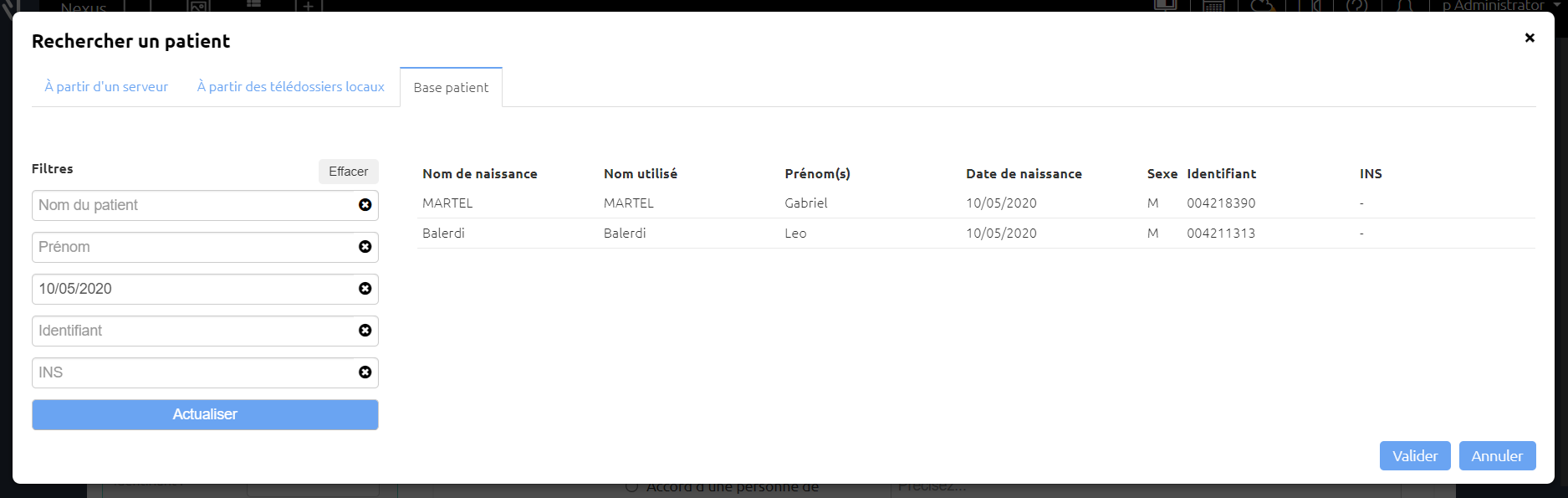
Identify the patient when creating the case
Retrieving identities from the identity repository
When creating a case, the identity search window opens automatically when identity interoperability flow has been implemented.
Once the identity is selected, it is displayed in a dedicated box.
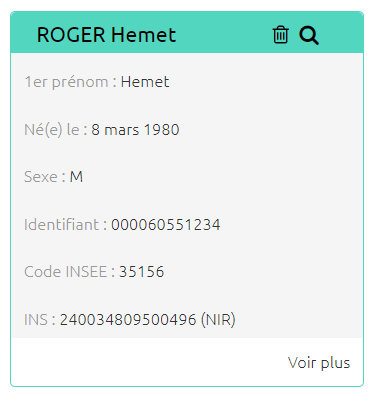
You can then click on Show more to display all of the patient's identifying characteristics.
Other possibilities
If the identity flow has not been implemented, you can manually enter the patient's identity using the five provided fields. Depending on how the case was initiated, this information may have been automatically populated and is now non-editable.
You can query a server to automatically retrieve patient information. To do this, click the Search icon.
Updating the Patient's Identity in a case
Retrieving identities from the identity repository
If the identity flow has been implemented, you can update the patient's identity by clicking on the icon 
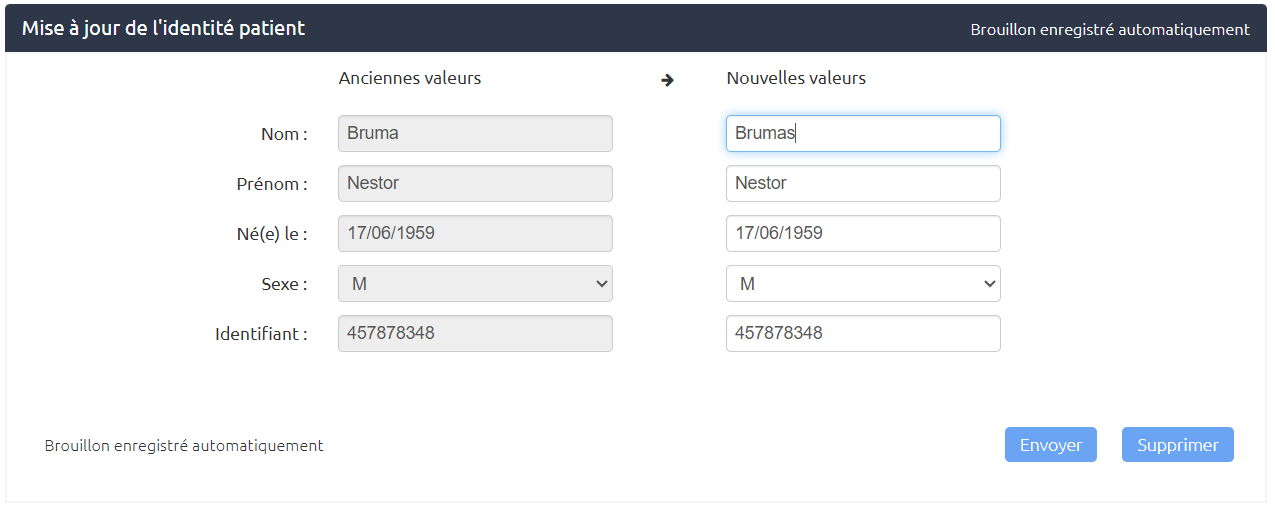
A window will then ask you to confirm this action, displaying the new information alongside the old information.
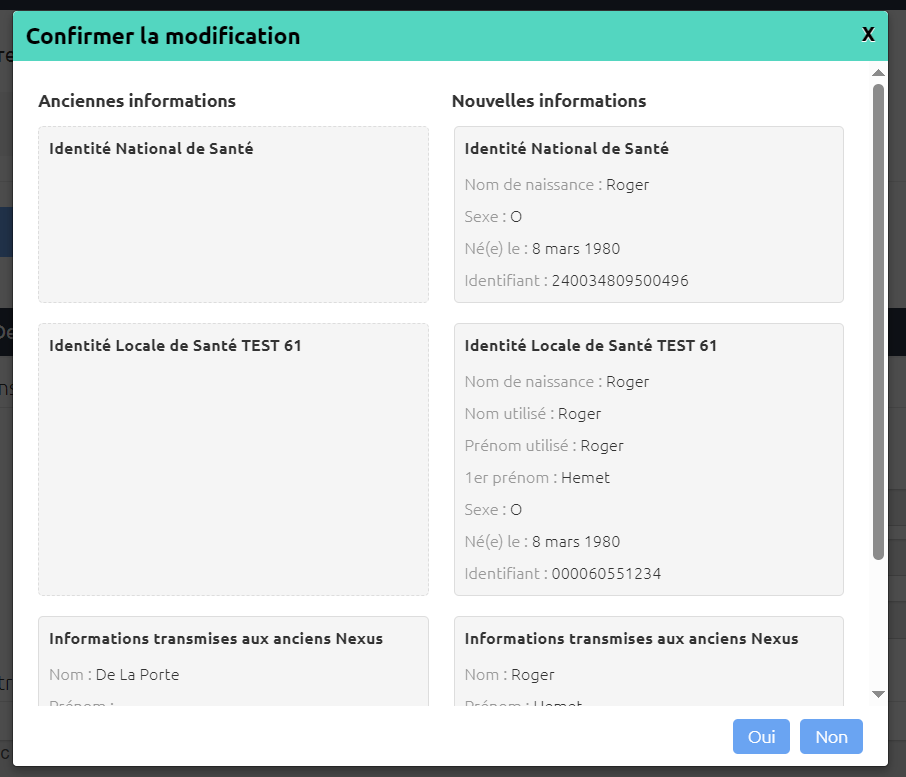
After confirmation, 2 new steps will be added to the case in order to transmit this update to the recipients.
Other possibilities
Once the first step of the case has been submitted, the only way to change the patient's identity is to add an Update Patient Identity step if the case type allows it.
Adding this step updates the information in the Patient section.