
8th February 2024
The Edition team is happy to present Nexus 6.5.0 to you.
This version allows to deploy a Nexus on Nexus Platform in Embedded mode in a specific context (cf. Use restrictions).
In addition, this version corrects some anomalies.
Use restrictions
The Web sharing functionality is no longer present from this release. Consider switching to PACS Web sharing.
Regarding Embedded mode:
For the moment, deployment in Embedded mode is only available in a restricted context where it is possible to migrate an entire Nexus network at the same time, transiting cases via a central Nexus.
The following features have not yet been integrated to Embedded mode:
-
Videoconference
-
Statistics
-
Schedule studies
-
Billing
The runtime can assign “weak” or “strong” rights. It corresponds to the type of authentication required to activate the permission. As strong/weak authentication is not implemented on Nexus, all rights are acquired in weak authentication.
New features
Embedded mode
The Embedded mode is a specific installation mode. The Nexus is installed on a Runtime in order to benefit from its features. An embedded Nexus can be installed centrally or in an establishment on a Box.
If a Nexus feature is integrated in Embedded mode, all or part of it can be delegated to the Runtime, or accessible from the Runtime via an extension.
Authentication
Authentication is entirely delegated to the Runtime. Therefore, the available means depend on its evolution and not of the Nexus anymore. Thus, it is possible to use strong means of authentication. However, be careful, because the Nexus historical functionalities do not know how to manage these authentication levels, though it is possible to force a user to use strong authentication to access the cases list.
Navigation
The following pages have been added to the runtime menu:
-
Cases
-
Studies
-
Worklists
The pages display is subject to a right: Access to Nexus.
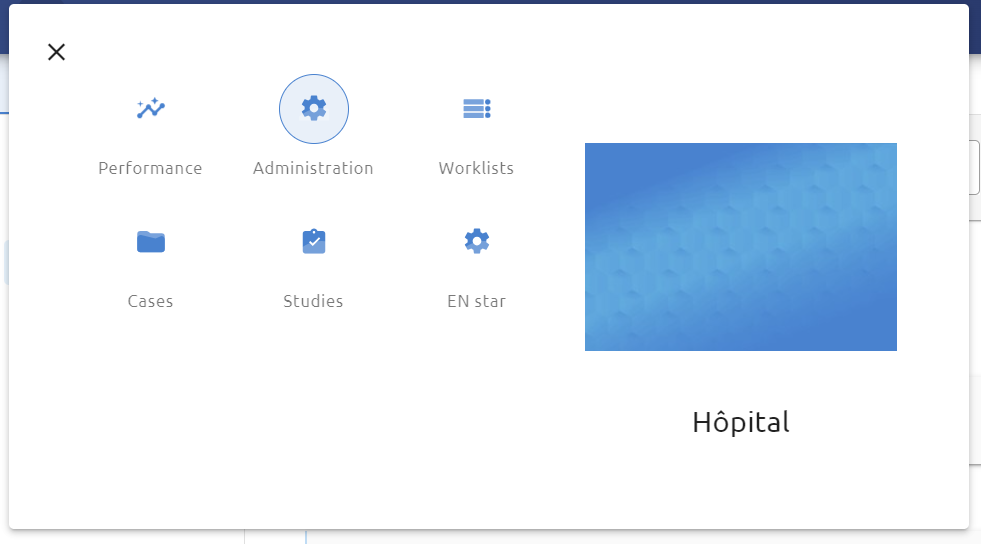
Cases, Studies and Worklist pages
When a user clicks on one of the Nexus pages present in the navigation menu, the Nexus page is displayed under the Runtime header.
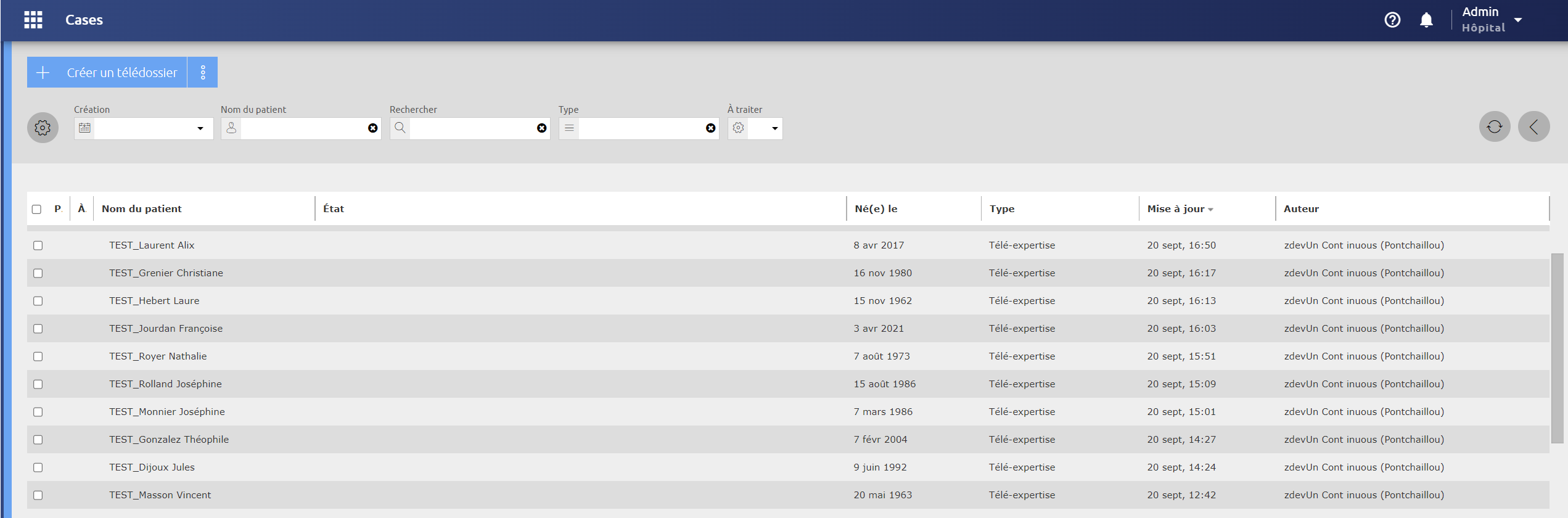
The functionalities are the same as on a Nexus Standalone apart from the following specificities:
-
Worklist rights: Unlike Standalone mode, worklist rights are managed like any other right and can be used in roles, but also assigned directly to a user via an exceptional right.
-
Contacts selection: The contacts selection for a case is based on a new application module, Actor Search, which stores visibility and directly queries the Runtime to retrieve information relating to establishments, services and users so that the cases routing engine can send them to the right contacts.
Nexus Embedded administration
A Nexus Embedded can be administered from the Runtime administration. The following features are available:
-
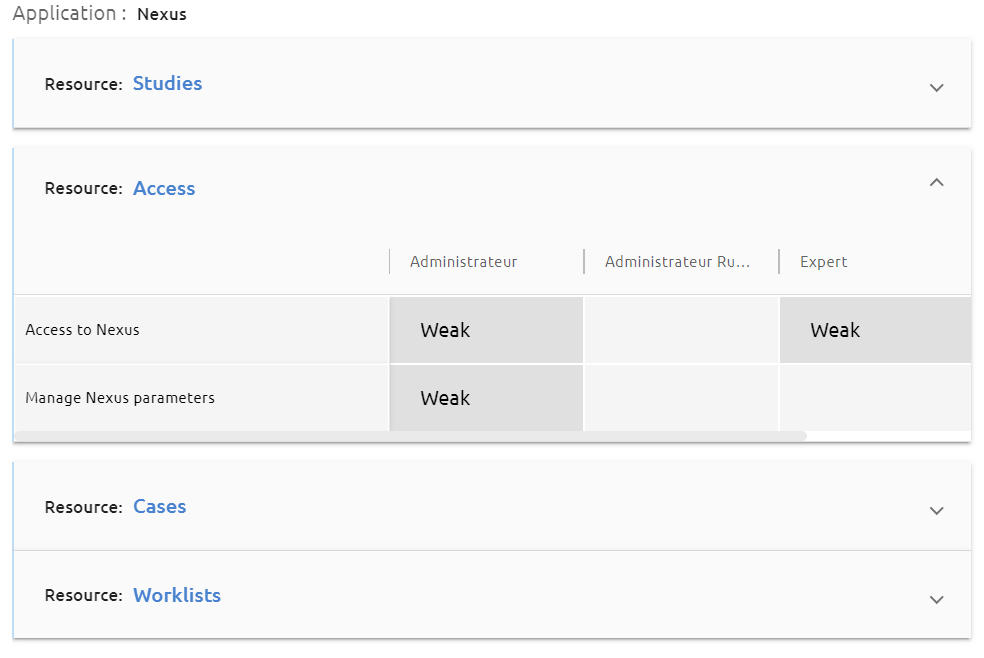
Rights and roles management: When deploying a Nexus in Embedded mode on a Runtime, the Nexus publishes its rights in the Runtime, including the Nexus historical rights as well as a right Access the Nexus. In addition, the Administrator and Supervisor profiles have been added as rights.
-
Users management: Only users with the “Access to Nexus” right can use the Nexus application. This right is necessary for other Nexus rights to be active and for Nexus pages and extensions to appear for the authenticated user.
-
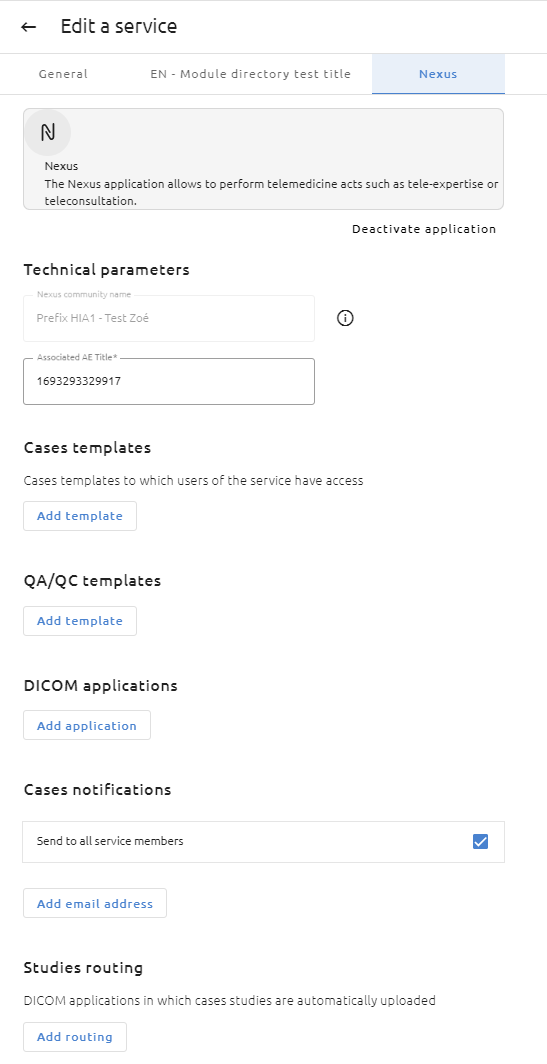
Services management: The services for which the administrator has activated the Nexus application are created in the form of a community in the Nexus attached to the establishment. Then, the Nexus configuration elements relating to a community can be configured in the service administration.
-
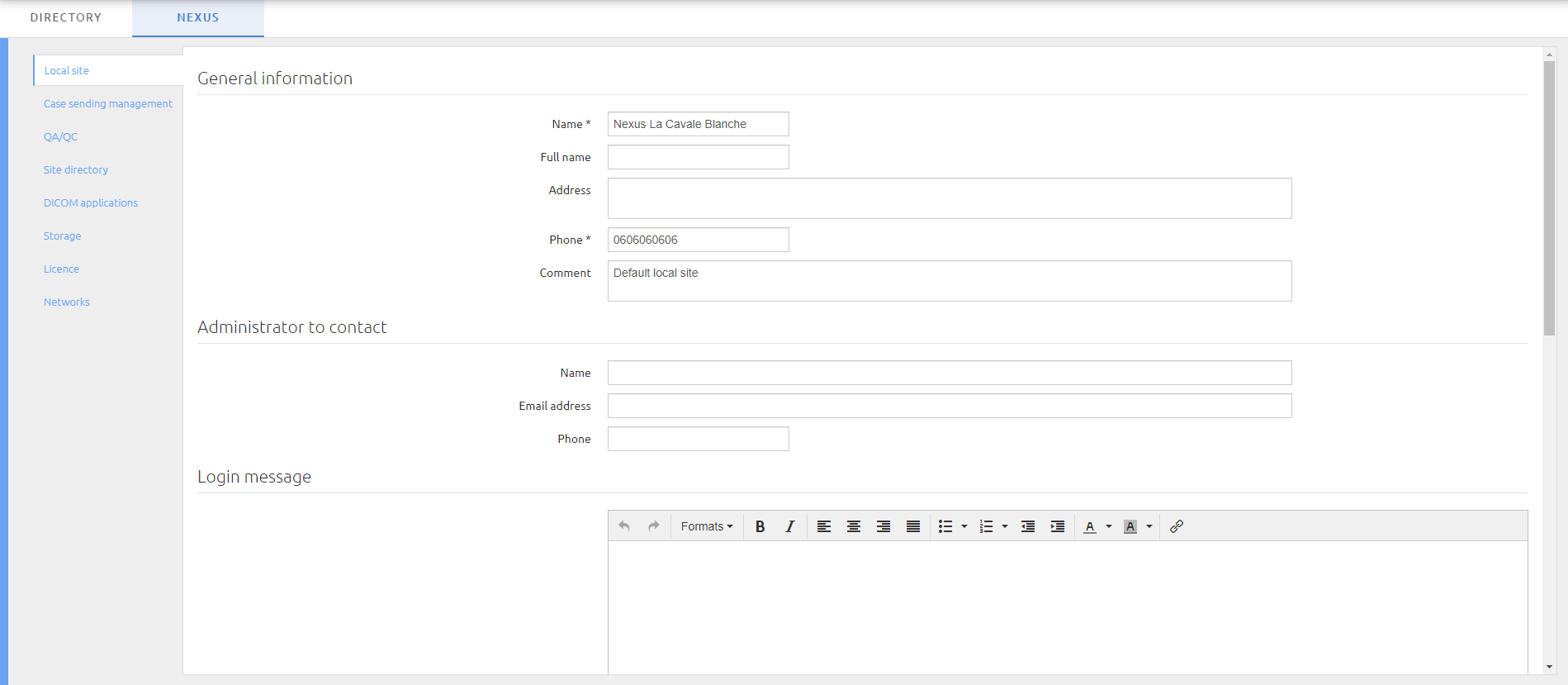
Other Nexus configuration settings are available in a specific tab.
Other integration specificities
The following Nexus features use Runtime abilities:
-
Notifications: Nexus notifications appear in the runtime notifications page.

-
User preferences: User favourite language, theme and home page are managed by the Runtime
-
About: The About Nexus panel is visible in the About Runtime feature.
-
User manual: The Nexus user manual is accessible from the User Help feature.
Tab “Others”
The “Others” tab features of the Nexus administration has been distributed to other tabs in order to remove the old HTDOC code.
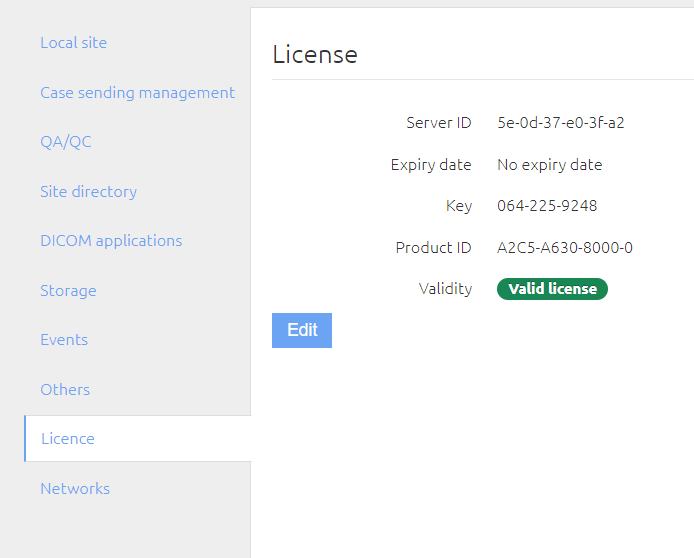
License management
The license file can be added in the new License tab.
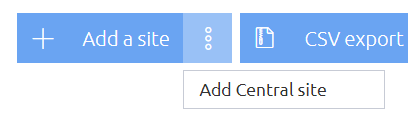
Adding a central site
A central site can be added in the Site directory tab. Only one Central Nexus can be added. Once it is added, it is possible to edit it via the same path.
Note: the Central Nexus does not appear explicitly in the list of sites at this time.
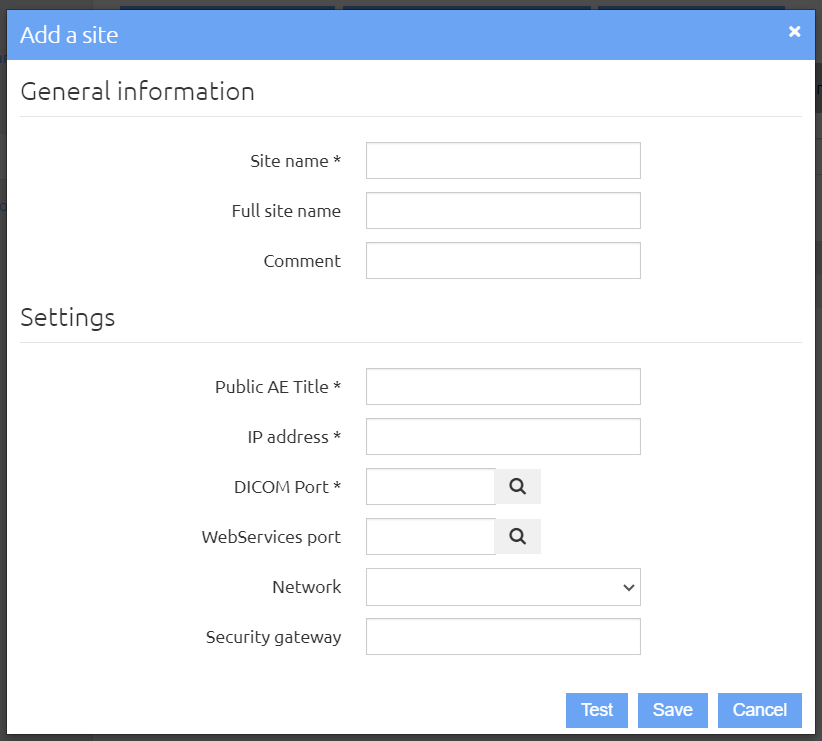
Adding a gateway
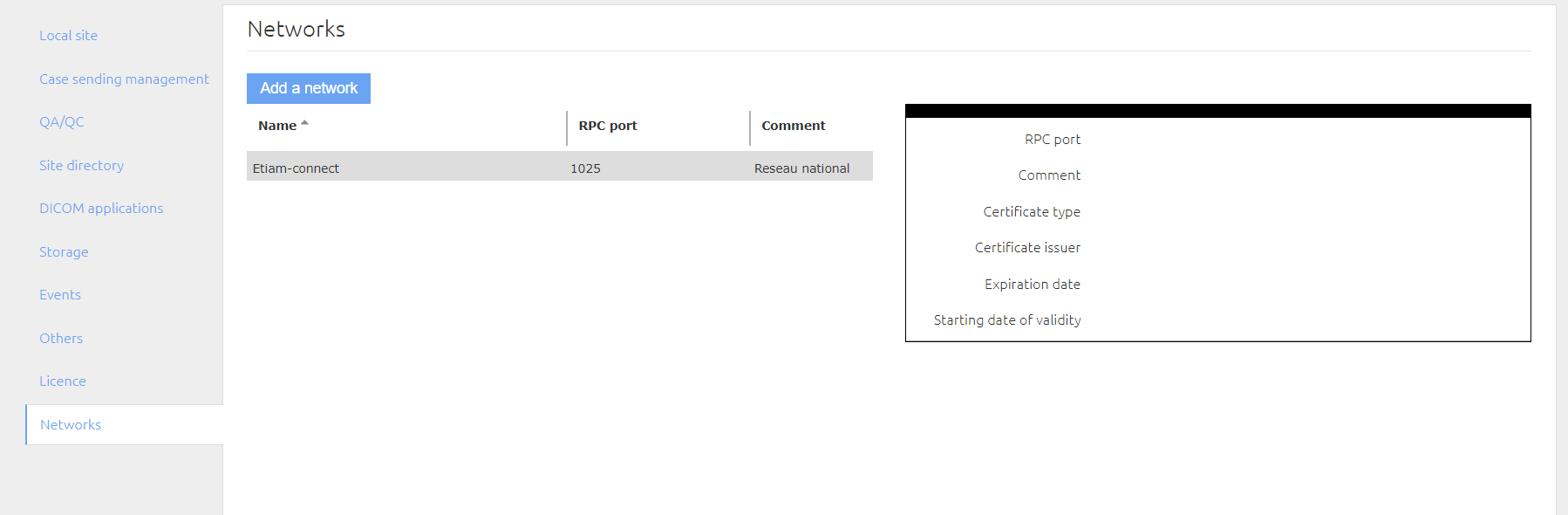
A network can be added in the new Networks tab by entering its gateway information.
Adding the remote directory URL
The remote directory URL can be entered in the Site Directory tab (“Synchronize” modal).
This URL must be linked to a service (for the moment a Nexus) which has information relating to all the Nexus in the park so that an establishment Nexus can automatically retrieve it. Currently, this URL is set to the ETIAM-Connect Service Platform Nexus and not the Central Nexus.
Note: when a case is configured in Central mode, the requesting Nexus directly calls the Central Nexus to retrieve the sites list configured on the latter.
User manual on the Help Center
From this release, the user manual is available on the brand new Help Center.
Other evolutions
-
Optimization of study reception
-
Removal of login screen logos
-
Removal of the Web sharing feature which allowed studies to be broadcast to patients and their referring physician
-
Optimizing the cases list display
Corrected anomalies
Fixed some technical anomalies.