
You can send studies to a workstation for interpretation or to the PACS for storage.
-
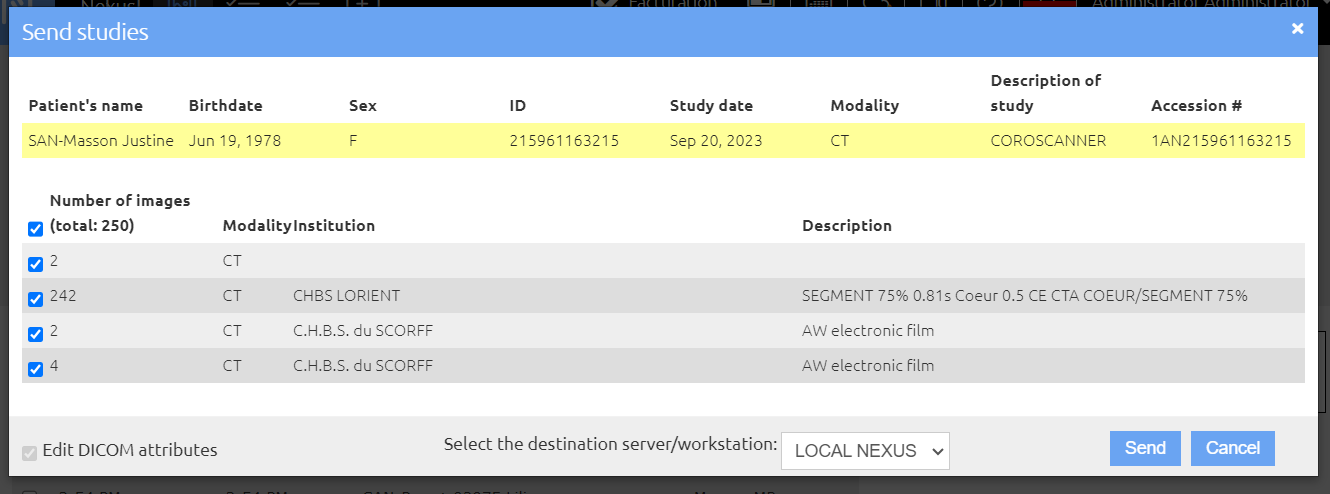
On the Studies page, select the study(ies) you want then in the Actions menu (button to the right of the Add studies button) on Send to workstation/PACS.
-
For each study deselect the series you do not want to send, if needed.
-
If you want to edit the study DICOM attributes (for example, to anonymize them) select the Edit DICOM attributes checkbox (cf. Correct the study identifiers).
-
Select the destination and then click on the Send button.
The NEXUS LOCAL destination allows you to save the study to your server: you can modify the identifier of a study and save it on your Nexus server for correction or anonymization before sending it out.