
Authentication allows to secure access to the platform. Several authentication modes are available.
Access to some features may require strong authentication, as configured by your administrator (cf. (3.4-en) Rights management).
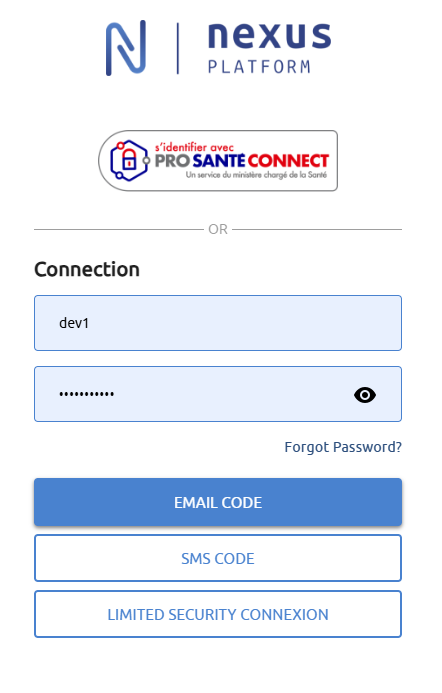
From authentication page, you can choose to authenticate:
-
via Pro Santé Connect
-
by email or identifier / password
-
only
-
or by entering an additional code sent by email or SMS
-
Pro Santé Connect
Pro Santé Connect allows users to authenticate themselves with the e-CPS mobile application or their CPS card. More information on https://esante.gouv.fr/produits-services/pro-sante-connect .
This is considered strong authentication.
This authentication method requires an RPPS or ADELI identifier to be entered in your profile. (cf. Getting started).
From the login page, click on S’identifier avec Pro Santé Connect button, then select the authentication method using the tabs.
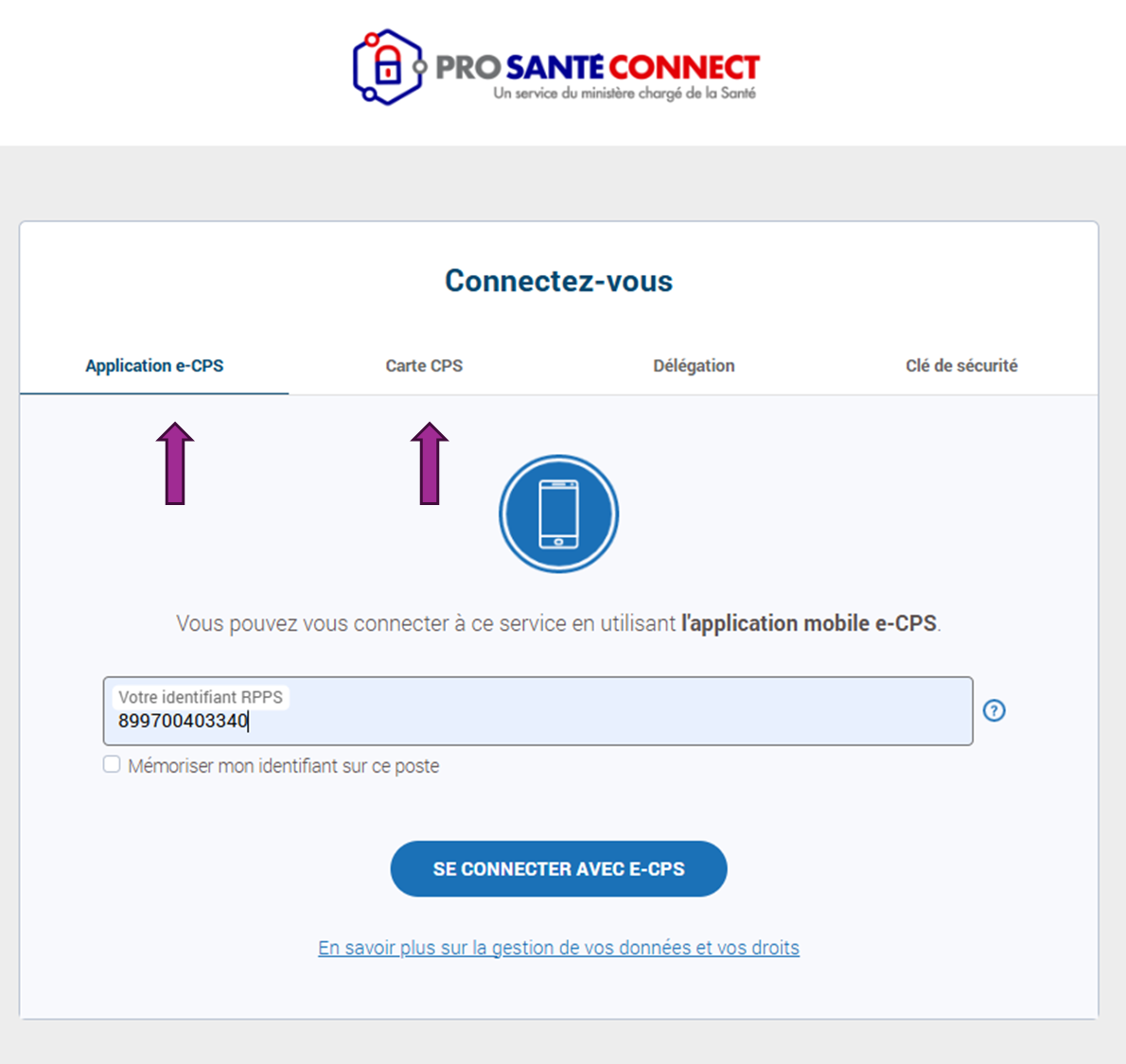
Enter your RPPS or ADELI identifier, click on Se connecter avec e-CPS or Se connecter avec la carte CPS, then follow the instructions on the screen.
The authentication via e-CPS requires its activation (cf. https://esante.gouv.fr/Jactive-ma-e-CPS-avec-ma-carte).
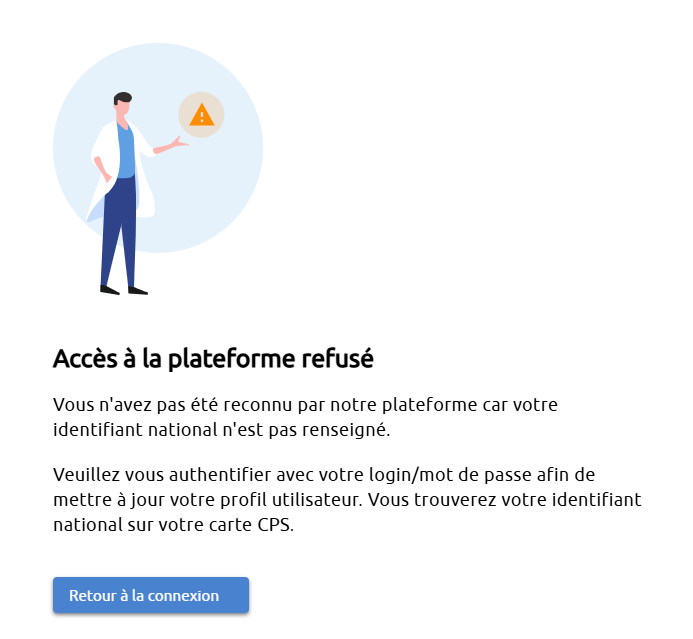
If you encounter the error below, it means that your RPPS or ADELI is not entered in your user profile. (cf. Getting started).
Email or identifier / password
An email is sent once your account has been created, with instructions on how to set your password (cf. First login).
From the login page, enter:
-
your mail or identifier
-
your password
then click on the desired authentication mode button:
Email code
Strong authentication by entering a temporary code received by email
SMS code
Strong authentication by entering a temporary code received by SMS
Limited security connexion
Weak authentication, you access the application directly
If you click on Email Code or SMS Code, the journey is similar:
Email code
The code is sent by email to the recovery email address specified in your user profile (cf. Getting started). The code is valid for 5 minutes.
SMS code
The code is sent by SMS if the recovery mobile number has been entered in your user profile (cf. Getting started). The code is valid for 5 minutes.
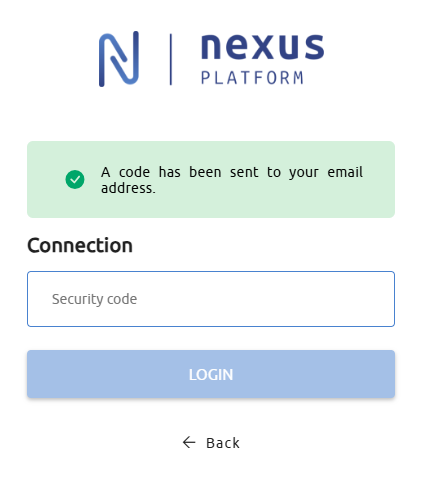
Enter the code you received and click on Login. You are now logged in.