
Nexus makes it possible to produce statistics to monitor and analyze the activity relating to case exchanges for your institution’s Nexus. For example, using statistics, you can produce a stacked histogram with the number of cases sent broken down by destination institution for a given period of time. It is also possible to export statistics produced in Nexus for analysis in Excel format (CSV).
Users with the associated permissions can view and edit dashboards
To access the Statistics page, click on your name at the top right of the screen then on Statistics.
Create a dashboard
You can group charts by subjects in dashboards and thus easily classify your statistics.
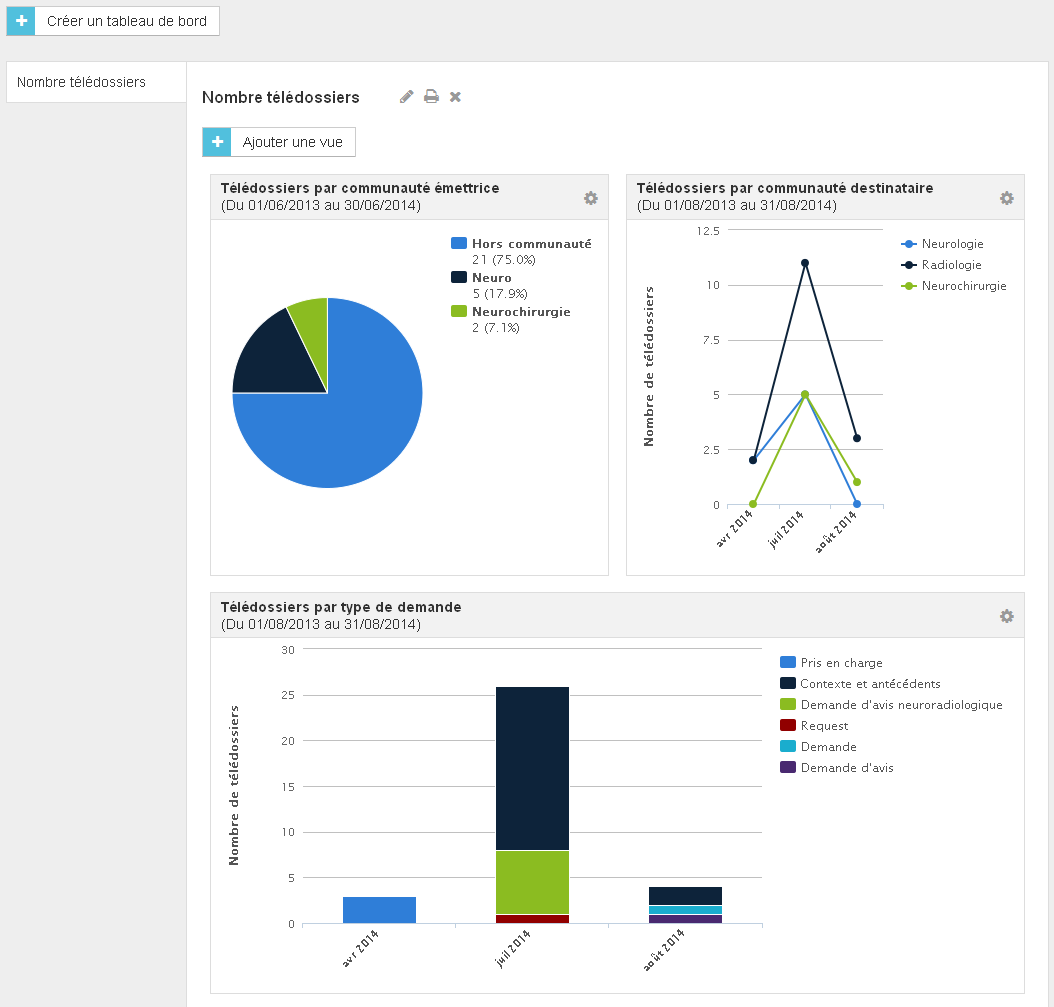
-
Click on the Create a dashboard button.
-
In the window that displays enter a name for the dashboard, and then click the Save button.
Create a view
-
Display the dashboard you want, and then click on the Create a view button.
-
Enter a name for the view and select a size: Simple for half-page or Double for full-page view.
-
Select the statistic layout type (chart or table), define the statistic based on the selected type and then define a period of time.
-
If needed, refine the statistic using one or more filters.
-
Click on the Save button.
Filter values are case sensitive, so make sure you type them correctly otherwise they will be ignored. For example, if you create a filter to exclude the “Neurology” sender community from the statistics and enter the value “neurology”, the filter will not be applied.
In a dashboard you can reorganize views using drag-and-drop. To do this, point the view title bar with the left mouse button and hold it down while dragging the view.
Actions on views
To access the actions applicable to views, click on the Configure button in the view title bar.
-
Edit the view.
-
Export the view to CSV format for archiving and, if needed, for using it in a spreadsheet software.
-
Remove the view.
Actions on dashboards
You can perform the following actions on a dashboard:
-
Rename the dashboard.
-
Print all the views contained in the dashboard.
-
Remove the dashboard.